Page 2 - ATTENTION; IMPORTANT; CAUTION; The following caution label appears on the unit.
2 ATTENTION Ce produit renferme une diode à laser d’unecatégorie supérieure à 1. Pour garantir unes é c u r i t é c o n s t a n t e , n e p a s r e t i r e r l e scouvercles ni essayer d’accéder à l’intérieurd e l ’ a p p a r e i l . P o u r t o u t e r é p a r a t i o n ,s’addresser à un personnel ...
Page 3 - Sommaire
4 Fr Sommaire 1 Avant le démarrage Vérification du contenu de la boîte ...................................... 5Emploi de ce mode d’emploi ............................................... 5Insertion des piles dans la télécommande ........................... 5Conseils pour l’installation .................
Page 4 - Checking what's in the box; Vérification du contenu de la boîte
5 En/Fr 1 Avant le démarrage 1 Before You Start Checking what's in the box Thank you for buying this Pioneer product. Before starting to set upyour new CD recorder, please check that you have received thefollowing supplied accessories: • Stereo audio cords (x2) • AC power cord • Two 'AA' size R6P ba...
Page 5 - Hints on installation; Use in an excessively dusty or damp environment.; Avoiding condensation problems; Utilisez l’appareil dans une pièce bien aérée.
6 En/Fr 1 Before You Start 1 Avant le démarrage Hints on installation We want you to enjoy using this unit for years to come, so pleasebear in mind the following points when choosing a suitablelocation for it: Do... ✓ Use in a well-ventilated room. ✓ Place on a solid, flat, level surface, such as a ...
Page 6 - on the front; du
7 En/Fr 1 Avant le démarrage 1 Before You Start Maintaining your CD recorder To clean the compact disc recorder, wipe with a soft, dry cloth. Forstubborn dirt, wet a soft cloth with a mild detergent solution madeby diluting one part detergent to 5 or 6 parts water, wring well, thenwipe off the dirt....
Page 7 - About CD, CD–R and CD–RW Discs; Discs from any of the above makers may also be sold under; CD de lecture seulement; Disques grand public; ou
8 En/Fr 1 Before You Start 1 Avant le démarrage About CD, CD–R and CD–RW Discs This unit is compatible with three different types of compact disc: Playback-only CDs This unit will playback any ordinary audio CDscarrying the Compact Disc Digital Audio markshown right. CD-Recordable discs Recordable C...
Page 8 - Recording and finalizing discs
9 En/Fr 1 Avant le démarrage 1 Before You Start Recording and finalizing discs Unlike other recording media, recordable CDs have a number ofdistinct states, and what you can do with a disc depends on thecurrent state of the disc. Figure 1. (right) shows the three states —blank, partially recorded, a...
Page 9 - Playing partially recorded discs; fig 1. differences between recordable and rewritable discs.; Enregistrement
10 En/Fr 1 Before You Start 1 Avant le démarrage ✔ Recordable ✘ Erasable ✘ Skip ID set/clear ✘ Play in ordinaryCD player ✔ Recordable ✘ Erasable ✔ Skip ID set/clear ✘ Play in ordinaryCD player ✘ Recordable ✘ Erasable ✘ Skip ID set/clear ✔ Play in ordinaryCD player ✔ Recordable ✘ Erasable ✘ Skip ID s...
Page 10 - Raccordements; CONTROL OUT; Avant de faire ou de modifier les connexions sur le; OPTICAL IN
12 Fr 2 Raccordements LINE IN OPTICAL IN REC OUT PLAY L R DIGITAL OUT COAXIAL OPTICAL DIGITAL IN COAXIAL CONTROL AC IN Après l’achèvement detoutes les connexions,raccordez le cordond’alimentation et branchez-le sur une prise muralesecteur standard. Raccordez à CONTROL OUT d’un amplificateur Pioneer ...
Page 11 - Connecting a keyboard; on the front panel with a six-; Branchement d’un clavier
13 En/Fr 2 Connecting Up 2 Raccordements English Français ◊ÛB¿ˆ˘≤/ OPEN/CLOSE 1 3 2 POWER — OFF _ ON 3-CD CONTROL 3 - COMPACT DISC MULTI CHANGER INPUT PLAY MODE PHONE KEYBOARD INPUT COMPACT DISC RECORDER / MULTI-CD CHANGER 0 0 0 4 1 ¡ ¢ DISPLAY 6 7 Connecting a keyboard You can choose to use a conne...
Page 12 - Keyboard controls
14 En/Fr 2 Connecting Up 2 Raccordements Keyboard controls Commandes du clavier Key Touche F1 F2 F3 Space Enter Backspace Shift + F1 Shift + F2 Shift + F3 Shift + F4 Shift + F5 Shift + F6 Shift + F7 Shift + F8 Shift + Caps Lock Print Screen Function Fonction TEXT NAME CLIP SCROLL SpaceEspacement ENT...
Page 13 - Front panel; Panneau avant
15 En/Fr 3 Controls and Displays 3 Commandes et Afficheur English Français Front panel REC VOL CD SELECT START REC THIS CD = CD-R ◊ÛB¿ˆ˘≤/ REC MODE SYNCHRO ERASE FINALISE NAME AUTO SPACE MENU/ DELETE CD-R CONTROL PUSH ENTER OPEN/CLOSE 1 3 2 POWER — OFF _ ON 3-CD CONTROL 1 3 2 OPEN/CLOSE REC/ REC MUT...
Page 15 - Remote control; Télécommande
17 En/Fr 3 Controls and Displays 3 Commandes et Afficheur English Français Remote control 1 DISPLAY/CHARA – Press to switch between display modes (p.27), and between upper- and lower-casecharacters while using CD text (p.39). 2 SCROLL – Press to scroll through long names in CD text. (p.27, 39) 3 MEN...
Page 17 - Display
19 En/Fr 3 Controls and Displays 3 Commandes et Afficheur English Français Display DISC DISC DISC PARTIAL SINGLE ALL RELAY FADER SCAN RDM PGM SKIP ON VOL FIX DIG OVER ANA OPTICAL RPT - 1 A.SPACE COAXIAL DISC TRK TOTAL REMAIN TRK STEP STEP MIN MIN SEC SEC dB REC CD TEXTCD-RW MANUAL TRACK SYNC-1 FINAL...
Page 19 - Quick CD recording; The display lights up.; Enregistrement rapide de CD; L’affichage s’allume.
21 En/Fr 4 Getting Started 4 Démarrage English Français Quick CD recording Although the PDR-W839 has many advanced recording features,duplicating a CD is pretty much a one-touch operation. Beforestarting, make sure that the recorder is connected to your ampliferand that everything is plugged in to a...
Page 20 - Recording tracks during playback; while the track is playing, and the CD changer will jump to; Setting the headphone level; The display shows the current level:; Réglage du niveau de casque d’écoute; L’afficheur indique le niveau actuel :
22 En/Fr 4 Getting Started 4 Démarrage 6 Press CD = CD-R START (REC THIS). The recorder automatically copies at double speed, so ifyou're listening to the recording as it's being made it willsound a little strange!After the CD in the changer has finished playing, therecorder will finalize the CD-R t...
Page 21 - Playing a CD; eject the CD changer disc tray.; Lecture d’un CD; Appuyez sur OPEN/CLOSE 1
23 En/Fr 4 Getting Started 4 Démarrage English Français Playing a CD This section takes you through using the basic playback controls ofthe CD changer and CD-R. The steps below describe playing a discin tray 1 of the disc changer, but the playback controls for the CD-Rand for other discs loaded into...
Page 23 - Playback modes; Load a disc into disc tray 1 of the changer.; Modes de lecture; Appuyez sur OPEN/CLOSE 2
25 En/Fr 4 Getting Started 4 Démarrage English Français Playback modes The different play modes let you play either a single disc, or up tofour discs one after another for an uninterrupted playing time of upto five hours. 1 Load a disc into disc tray 1 of the changer. 2 Press OPEN/CLOSE 2 0 . Disc t...
Page 24 - Starting playback with a timer
26 En/Fr 4 Getting Started 4 Démarrage Starting playback with a timer You can use this unit with a standard audio timer to start playbackat a set time. Simply load a disc (or discs) and set the timer. Whenpower is restored to this unit by the timer, playback will startautomatically in the default AL...
Page 25 - Switching the display
27 En/Fr 4 Getting Started 4 Démarrage English Français TIME DISPLAY /CHARA 4 ¢ 3 - COMPACT DISC MULTI CHANGER COMPACT DISC DIGITAL RECORDER ◊ÛB¿ˆ˘≤/ COMPACT DISC RECORDER / MULTI-CD CHANGER Legato Link Conversion CD TEXT DISPLAY 4 1 ¡ ¢ Switching the display (CD changer side) The recorder can displ...
Page 30 - DISC REC; Introduction; Appuyez sur REC MODE.
32 En/Fr 5 Recording Features 5 Fonctions d’enregistrement Introduction Recording CDs from the disc changer has several advantages overrecording from an external CD player. • Double speed copying lets you record a disc in half the regular time. • Automatic spacing when individual tracks are recorded...
Page 31 - Recording individual tracks; Setting the recording level; Press CD; Réglage du; Appuyez sur CD; Enregistrement de plages individuelles
33 En/Fr 5 Recording Features 5 Fonctions d’enregistrement English Français Recording individual tracks Here's how to copy individual tracks from any disc in the changer: 1 Load the CD(s) you want to copy tracks fromin to the CD changer. You can use any of the three disc trays in the changer. 4 If y...
Page 33 - Recording from anywhere on the disc; Switching the; Commutation de l’affichage
35 En/Fr 5 Recording Features 5 Fonctions d’enregistrement English Français TIME DISC 1 DISC 2 DISC 3 7 8 4 ¢ 3 - COMPACT DISC MULTI CHANGER COMPACT DISC DIGITAL RECORDER ◊ÛB¿ˆ˘≤/ COMPACT DISC RECORDER / MULTI-CD CHANGER Legato Link Conversion CD TEXT CD SELECT START REC THIS CD = CD-R REC MODE OPEN...
Page 34 - Recording a programmed selection; Changing the recording speed
36 En/Fr 5 Recording Features 5 Fonctions d’enregistrement Recording a programmed selection You can automate the process of making a mix CD by using theprogramming function of the disc changer. 1 Load the CD(s) you want to program tracksfrom in to the CD changer. You can use any of the three disc tr...
Page 35 - PROGRAM REC
37 En/Fr 5 Recording Features 5 Fonctions d’enregistrement English Français 2 Load a CD-R or CD-RW into theCD-R tray. If the disc isn't blank, make sure that there is enough spaceon the disc for what you want to record (see Switching the Display on page 29–31 for how to check this). 3 Program a play...
Page 36 - Using CD text; Utilisation du texte CD
38 En/Fr 5 Recording Features 5 Fonctions d’enregistrement Using CD text You can name a CD-R or CD-RW so that when you load the discinto the player, the disc name, track title, or artist name can appearin the display. Each title can be up to 120 characters long,including spaces. You can store all th...
Page 38 - Editing CD text; Using; Eject or finalize the disc.; Finalizing a disc; Édition du texte CD; Éjectez ou finalisez le disque.; Finalisation d’un disque; Disc Copy; Disc
40 En/Fr 5 Recording Features 5 Fonctions d’enregistrement TIME ENTER MENU/ DELETE NAME MARK DISPLAY /CHARA 7 4 ¢ A B C D E F G H I M N O J K L P Q R S T U V W X Y Z 2 3 4 5 6 7 8 9 10/0 3 - COMPACT DISC MULTI CHANGER COMPACT DISC DIGITAL RECORDER ◊ÛB¿ˆ˘≤/ COMPACT DISC RECORDER / MULTI-CD CHANGER Le...
Page 39 - Copying track names to other tracks; Press NAME CLIP again.; Appuyez à nouveau sur NAME CLIP.
41 En/Fr 5 Recording Features 5 Fonctions d’enregistrement English Français Copying track names to other tracks If you need to name several tracks with similar names—severalparts of one suite, for example—you can name the first one usingthe procedure detailed above, then simply copy that name to the...
Page 40 - Name Insert; Name Insert
42 En/Fr 5 Recording Features 5 Fonctions d’enregistrement 7 Use the jog dial to select one of the previousthree names stored, then press the jog dial(ENTER). On the remote, use the 4 and ¢ buttons to select a name, then press ENTER . The display flashes Name Insert briefly and the selected name is ...
Page 41 - Recording fade ins and fade outs; Setting the fade length; Réglage de la longueur du fondu
43 En/Fr 5 Recording Features 5 Fonctions d’enregistrement English Français Recording fade ins and fade outs Sometimes, for example if you're recording just an excerpt fromsomething, it may be better to fade in the recording, then fade outagain at the end, rather than start and end abruptly. You can...
Page 42 - Recording a fade out; Automatically numbering tracks; Setting the silence threshold; Enregistrement d’un fondu à la sortie; Numérotation automatique des plages; “Réglage du seuil de silence”
44 En/Fr 5 Recording Features 5 Fonctions d’enregistrement Recording a fade out • Press FADER during recording to fade out. After recording the fade out, the recorder goes into record-pause mode. This happens in either normal or synchrorecord mode. • You can also just press 7 if you don’t need a fad...
Page 43 - Réglage du seuil de silence
45 En/Fr 5 Recording Features 5 Fonctions d’enregistrement English Français Setting the silence threshold If you're recording from CD, MD, DCC or DAT, you can usually letthe recorder number the tracks automatically as they change onthe source material. When recording other digital or analogsources, ...
Page 44 - Manually numbering tracks; Press; Numérotation manuelle des plages; “Numérotation automatique des plages”; Démarrez l’enregistrement.
46 En/Fr 5 Recording Features 5 Fonctions d’enregistrement Manually numbering tracks Although automatic track numbering is the default mode of therecorder, you can number tracks manually as recording is takingplace. In some cases—such as recording from digital satellite orLaserdisc, or from an analo...
Page 45 - Starting tracks in time increments; The time increment will default to; L’Intervalle de temps passera par défaut à
47 En/Fr 5 Recording Features 5 Fonctions d’enregistrement English Français Starting tracks in time increments If you aren't able to set track numbers automatically duringrecording (a radio program with interviews, for example), youmight want to have the recorder start tracks after every threeminute...
Page 47 - Setting the balance; Adjust the balance using the jog dial (; Réglage de la balance; et
49 En/Fr 5 Recording Features 5 Fonctions d’enregistrement English Français Appuyez à nouveau sur le bouton REC VOL . pour désactiver le réglage.Utilisez le vumètre pour ajuster au niveau d’enregistrement lemieux adapté (les sons les plus forts de la source ne doivent pasdépasser la marque 0 dB du v...
Page 49 - Load the CD–R or CD–RW you want to finalize.; Appuyez sur FINALIZE.; Appuyez sur
51 En/Fr 6 Finalizing and Erasing 6 Finalisation et effacement English Français 1 Load the CD–R or CD–RW you want to finalize. • Check that the disc is free from dust, dirt and scratches — if necessary, clean the disc following the guidelines on page 73. 2 Press FINALIZE. The recorder goes into reco...
Page 50 - Erasing a CD–RW disc; appears any time during any erase; Effacement d’un CD-RW; apparaît une fois pendant le
52 En/Fr 6 Finalizing and Erasing 6 Finalisation et effacement Erasing a CD–RW disc Although more expensive than CD-R discs, the great advantage ofCD-RW is that the discs can be erased and reused. Various eraseoptions are available depending on whether or not the disc hasbeen finalized.A third, spec...
Page 51 - When a finalized disc is loaded:; Quand un disque finalisé est chargé:
53 En/Fr 6 Finalizing and Erasing 6 Finalisation et effacement English Français When a non-finalized disc is loaded: 1 Press ERASE. 2 Use the jog dial (or press 4 1 or ¡ ¢ ) to change the erase option. Switch between: • Erase just the last track CD-RW • Erase all tracks CD-RW • Erase multiple tracks...
Page 52 - Re-initializing a disc; Réinitialisation d’un disque; Marking recorded tracks to skip
54 En/Fr 6 Finalizing and Erasing 6 Finalisation et effacement 3 - COMPACT DISC MULTI CHANGER COMPACT DISC DIGITAL RECORDER ◊ÛB¿ˆ˘≤/ COMPACT DISC RECORDER / MULTI-CD CHANGER Legato Link Conversion CD TEXT ERASE 4 1 ¡ ¢ 6 7 REC VOL PUSH ENTER ¶ Re-initializing a disc 1 Press and hold ERASE for about ...
Page 53 - Pose de codes de saut:
55 En/Fr 6 Finalizing and Erasing 6 Finalisation et effacement English Français Although you can’t erase tracks on a CD-R disc, you can set whatare called ‘skip IDs’. These tell a CD player (though many do notrecognize skip IDs) not to play a particular track, but to skip to thenext one on the disc....
Page 54 - Use the; Suppression de codes de saut
56 En/Fr 6 Finalizing and Erasing 6 Finalisation et effacement Clearing skip IDs: 1 Use the 4 and ¢ buttons (or the jog dial) to select the track you want to clearthe skip ID for. Skip play must be off (the SKIP ON indicator does not light in the display) for you to choose tracks with skip IDs. Pres...
Page 55 - Une fois terminé, appuyez sur; Playing a disc with skip IDs
57 En/Fr 6 Finalizing and Erasing 6 Finalisation et effacement English Français 5 Une fois terminé, appuyez sur 7 pour arrêter le disque, puis sur 0 (côté CD-R). Jusqu’à l’éjection du disque, l’enregistreur conserve lesinformations de code de saut en mémoire. A la pression de 0 , l’enregistreur écri...
Page 57 - Clearing the playlist; Clearing a track from the playlist; Suppression de la liste de lecture; Contrôle du contenu de la liste de lecture
59 En/Fr 7 Playback Functions 7 Fonctions de lecture English Français Clearing the playlist Clear the playlist by either: • pressing 7 while the disc is stopped. • pressing PLAY MODE . • ejecting a disc in the changer (or the CD-R disc tray to clear a CD-R playlist). Clearing a track from the playli...
Page 58 - Programming a playlist; Programmation d’une liste de lecture
60 En/Fr 7 Playback Functions 7 Fonctions de lecture Programming a playlist (CD-R) You can program a playlist for a disc that's in the CD-R disc tray.When you eject the disc, the playlist is lost. 1 Press CD-R then 7 to stop playback. 2 Press PROGRAM. The PGM indicator lights and the display prompts...
Page 59 - Using the repeat modes; Emploi des modes de répétition
61 En/Fr 7 Playback Functions 7 Fonctions de lecture English Français Using the repeat modes Use the repeat function to repeat either the current track, an entiredisc, or all discs loaded over and over. You can set the repeat modein normal, random or program play modes. Press REPEAT to select the re...
Page 60 - Using the random mode; Press RANDOM to start random playback.; Emploi du mode aléatoire
62 En/Fr 7 Playback Functions 7 Fonctions de lecture Using the random mode To have the recorder play tracks in a different order each time youplay a disc, use the random play mode. Each track will play justonce, but the order will be random. When all the tracks have beenplayed, the disc stops. Press...
Page 61 - Fading in and fading out; Fondu à l’entrée et en sortie; “Réglage de la longueur du
63 En/Fr 7 Playback Functions 7 Fonctions de lecture English Français Fading in and fading out CD-R side only Use the fader feature to fade the volume down gradually and pauseplayback, or to have the player fade in the volume when youresume playback. You can also set the length of time over whichyou...
Page 62 - • When recording incompatible or copy-proteced digital; • La plupart des CD, MD, DCC et DAT sont protégés contre la
64 En/Fr 8 Recording Other Sources 8 Enregistrement d’autres sources Introduction Use the various recording modes described here when you'rerecording from a component connected to the recorder eitherdirectly via an optical or coaxial digital connection, or via youramplifier to the the analog line in...
Page 63 - Monitoring a source for recording
65 En/Fr 8 Recording Other Sources 8 Enregistrement d’autres sources English Français Contrôle d’une source pourl’enregistrement L’emploi d’un dispositif de contrôle peut vous permettre d’écouterune source raccordée aux entrées analogiques ou numériques.C’est particulièrement utile pour une mise en ...
Page 64 - Digital synchro recording; Load a CD–R or CD–RW disc.; Enregistrement synchro numérique
66 En/Fr 8 Recording Other Sources 8 Enregistrement d’autres sources Digital synchro recording If you have a CD, MD, DAT or DCC player connected to either of thedigital inputs of this recorder, you can make digital recordingsfrom it very simply using this mode.Note that double speed recording is not...
Page 65 - all-track with finalize; on; Synchro 1 plage; à la page 79 pour les
67 En/Fr 8 Recording Other Sources 8 Enregistrement d’autres sources English Français 5 Make sure that the source is not playing,then press SYNCHRO. Digital synchro recording will not work if the source isalready playing!Pressing SYNCHRO repeatedly switches the synchro mode: • 1-track synchro – reco...
Page 66 - Analog synchro recording; Enregistrement synchro analogique
68 En/Fr 8 Recording Other Sources 8 Enregistrement d’autres sources Analog synchro recording Use the analog line inputs when recording from your turntable,cassette deck, or other analog audio source.Note that double speed recording is not possible in this mode. 1 Make sure that any discs loaded in ...
Page 67 - * Track numbering may not work reliably for some; * La numérotation des plages peut ne pas fonctionner de
69 En/Fr 8 Recording Other Sources 8 Enregistrement d’autres sources English Français 5 Make sure that the source is not playing,then press SYNCHRO. Analog synchro recording will not work if the source isalready playing!Pressing SYNCHRO repeatedly switches the synchro mode: • 1-track synchro – recor...
Page 70 - Recording blank sections; Enregistrement de sections vierges
72 En/Fr 8 Recording Other Sources 8 Enregistrement d’autres sources Recording blank sections This feature is useful when you want to put some space at the endof a recording session so that the next recording doesn't start afterthe last too closely, but use it wherever you need some blank spacerecor...
Page 74 - Informations complémentaires; Compréhension des messages affichés; Affichage; Le tiroir est ouvert.; Confirmez que vous souhaitez réinitialiser le CD-RW en pressant
77 Fr 9 Informations complémentaires English Français English Compréhension des messages affichés Voici la liste des messages qui apparaîtront pendant lefonctionnement normal avec une brève explication de leursignification. Consultez la page indiquée si vous souhaitez plusd’informations. Affichage S...
Page 75 - Messages d’erreur; Le disque est endommagé ou sale.; • L’enregistrement synchro numérique utilise un sous-signal
79 Fr 9 Informations complémentaires English Français Messages d’erreur Voici la liste des messages d’erreur qui pourront apparaître pendantla lecture ou l’enregistrement, avec les causes possibles et lesmesures à prendre. Consultez la page indiquée si vous souhaitezplus d’informations. Affichage Ca...
Page 76 - Messages affichés en relation avec l’enregistrement; Référence; SYNC–ALL; Quand; est affiché, l’enregistreur
81 Fr 9 Informations complémentaires English Français Messages affichés en relation avec l’enregistrement Affichage Cause probable Mesure corrective Référence Can't REC Le signal d’entrée est protégé contrela copie numérique avec SCMS. Enregistrez la source via les entréesanalogiques. p. 65-70 D.IN ...
Page 77 - Dépannage
83 Fr 9 Informations complémentaires English Français L’appareil ne se met pas sous tension. • Vérifiez qu’il est branché sur une prise d’alimentation secteur standard. • Si l’appareil est raccordé à la sortie d’alimentation d’un autre composant, vérifiez que ce composant est sous tension. Pas de so...
Page 78 - Specifications; * Recording specification values are for the LINE input (analog); Caractéristiques techniques; France: tapez 36 15 PIONEER; PIONEER CORPORATION
84 En/Fr 9 Additional Information 9 Informations complémentaires Specifications 1. General Model ..................................................... Compact disc audio systemApplicable discs ......................................... CDs, CD-Rs and CD-RWsPower supply ..................................


 Pioneer DMH W3050NEX
Manuel d'utilisation
Pioneer DMH W3050NEX
Manuel d'utilisation
 Pioneer TS A653CH
Manuel d'utilisation
Pioneer TS A653CH
Manuel d'utilisation
 Pioneer DM 40
Guide de dépannage
Pioneer DM 40
Guide de dépannage
 Pioneer DMH W4600NEX
Manuel d'utilisation
Pioneer DMH W4600NEX
Manuel d'utilisation
 Pioneer DMHWC5700NEX
Manuel d'utilisation
Pioneer DMHWC5700NEX
Manuel d'utilisation
 Pioneer CD IU52
Manuel d'utilisation
Pioneer CD IU52
Manuel d'utilisation
 Pioneer VREC
Manuel d'utilisation
Pioneer VREC
Manuel d'utilisation
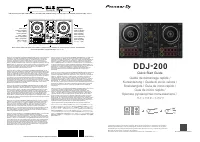 Pioneer DDJ 200
Guide de dépannage
Pioneer DDJ 200
Guide de dépannage
 Pioneer DEH S4220BT
Manuel d'utilisation
Pioneer DEH S4220BT
Manuel d'utilisation
 Pioneer AVH 120BT
Manuel d'utilisation
Pioneer AVH 120BT
Manuel d'utilisation
 Pioneer VREC DH200
Manuel d'utilisation
Pioneer VREC DH200
Manuel d'utilisation
 Pioneer AVH 1550NEX
Manuel d'utilisation
Pioneer AVH 1550NEX
Manuel d'utilisation
 Pioneer K110
Manuel d'utilisation
Pioneer K110
Manuel d'utilisation
 Pioneer AVH 271BT
Manuel d'utilisation
Pioneer AVH 271BT
Manuel d'utilisation
 Pioneer CDVM1
Manuel d'utilisation
Pioneer CDVM1
Manuel d'utilisation
 Pioneer K012
Manuel d'utilisation
Pioneer K012
Manuel d'utilisation