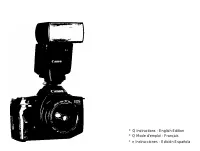
Canon Prima AF-9s Set- Manuels
Canon Prima AF-9s Set- Manuel d'utilisation en ligne au format PDF.
Manuels:
Manuel d'utilisation Canon Prima AF-9s Set
Résumé
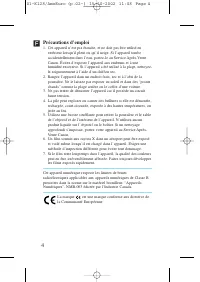
Précautions d’emploi 1. Cet appareil n’est pas étanche, et ne doit pas être utilisé en extérieur lorsqu’il pleut ou qu’il neige. Si l’appareil tombeaccidentellement dans l’eau, portez-le au Service Après-VenteCanon. Évitez d’exposer l’appareil aux embruns et à unehumidité excessive. Si l’appareil a ...
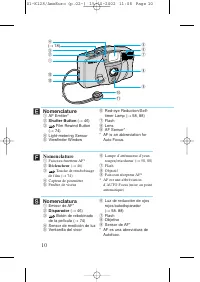
Nomenclature q AF Emitter* w Shutter Button ( → 46) e Film Rewind Button ( → 74) r Light-metering Sensor t Viewfinder Window y Red-eye Reduction/Self-timer Lamp ( → 58, 88) u Flash i Lens o AF Sensor* * AF is an abbreviation for Auto Focus. 10 ´ C A N O N LE NS 35mm 1:3 .8 ON OFF ( → 18) w q !3 !2 !...
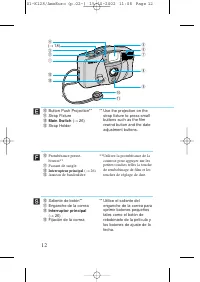
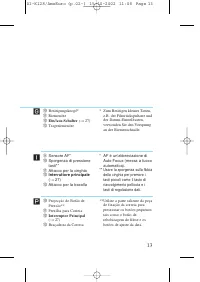
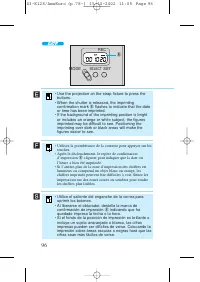
12 !0 Button Push Projection** !1 Strap Fixture !2 Main Switch ( → 26) !3 Strap Holder ** Use the projection on the strap fixture to press smallbuttons such as the filmrewind button and the dateadjustment buttons. ´ !0 Protubérance presse-bouton** !1 Passant de sangle !2 Interrupteur principal ( → 2...
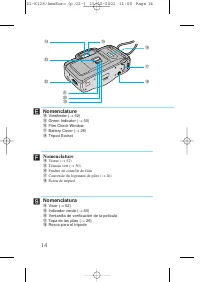
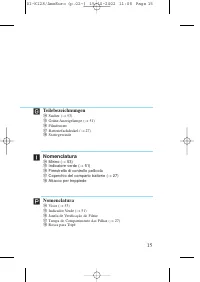
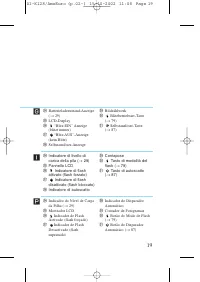
14 Nomenclature !4 Viewfinder ( → 52) !5 Green Indicator ( → 50) !6 Film Check Window !7 Battery Cover ( → 26) !8 Tripod Socket ´ RE C MO DE SEL ECT SE T OP EN !4 @2 @3 @1@0!9 !5 !6 !7 !8 Nomenclature !4 Viseur ( → 52) !5 Témoin vert ( → 50) !6 Fenêtre de contrôle de film !7 Couvercle du logement de...
21 Ï Merci d’avoir acheté cet appareil photo Canon. Avant d’effectuer des prises de vue, veuillez lire attentivement cesinstructions pour bien comprendre comment l’appareil fonctionne. Table des matières Précautions d’emploi .........................................................................4C...
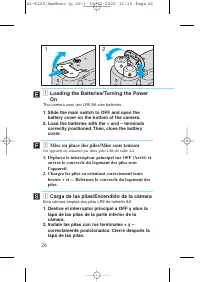
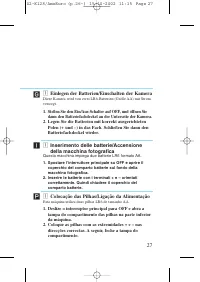
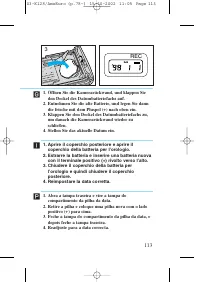
z Mise en place des piles/Mise sous tension Cet appareil est alimenté par deux piles LR6 de taille AA. 1. Déplacez le interrupteur principal sur OFF (Arrêt) et ouvrez le couvercle du logement des piles sousl’appareil. 2. Chargez les piles en orientant correctement leurs bornes + et –. Refermez le co...
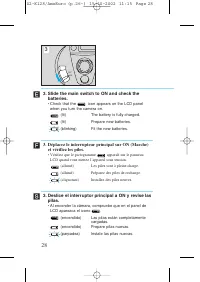
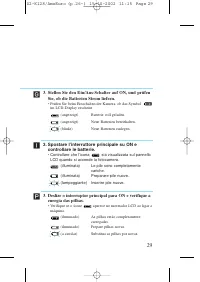
3. Déplacez le interrupteur principal sur ON (Marche) et vérifiez les piles. • Vérifiez que le pictogramme apparaît sur le panneau LCD quand vous mettez l’appareil sous tension. (allumé) Les piles sont à pleine charge. (allumé) Préparez des piles de rechange. (clignotant) Installez des piles neuves....
34 • Long-life alkaline batteries are recommended.• If the camera does not work after new batteries have been loaded, remove the batteries, then insert themagain. Ï Í ´ • Utilisez des piles alcalines longue durée.• Si l’appareil ne fonctionne pas quand des piles neuves sont insérées, retirez les pil...
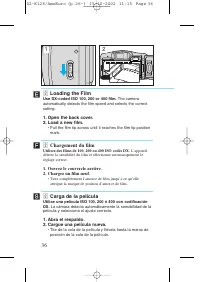
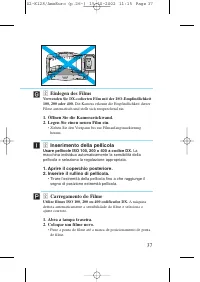
FIL M FIL M OPEN x Chargement du film Utilisez des films de 100, 200 ou 400 ISO codés DX. L’appareil détecte la sensibilité du film et sélectionne automatiquement leréglage correct. 1. Ouvrez le couvercle arrière.2. Chargez un film neuf. • Tirez complètement l’amorce de film jusqu’à ce qu’elle attei...
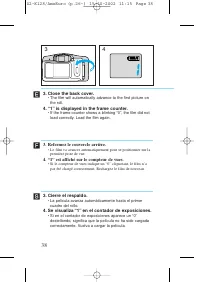
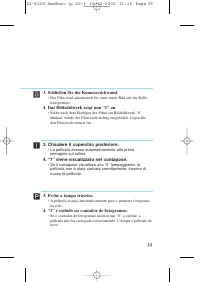
3. Refermez le couvercle arrière. • Le film va avancer automatiquement pour se positionner sur la première prise de vue. 4. “1” est affiché sur le compteur de vues. • Si le compteur de vues indique un “0” clignotant, le film n’a pas été chargé correctement. Rechargez le film de nouveau. 38 Ï 1 4 3. ...
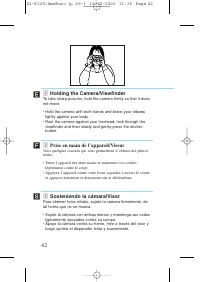
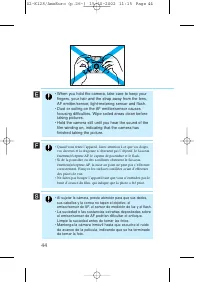
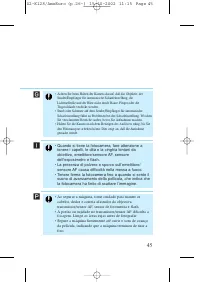
c Prise en main de l’appareil/Viseur Voici quelques conseils qui vous permettront d’obtenir des photosnettes. • Tenez l’appareil des deux mains et maintenez vos coudes légèrement contre le corps. • Appuyez l’appareil contre votre front, regardez à travers le viseur et appuyez lentement et doucement ...
50 Ï Í ´ Green Indicator • When you press the shutter button down halfway, the indicator lights or blinks to show whether the camerais ready to shoot.Lit: Camera ready to shoot (subject in focus).Blinking: Proximity warning • When the proximity warning appears, move away from the subject until the i...
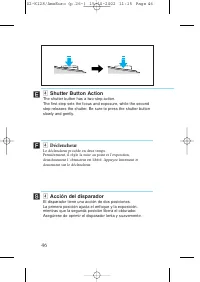
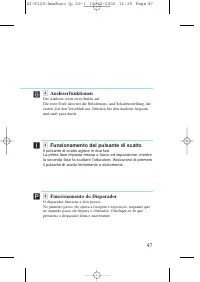
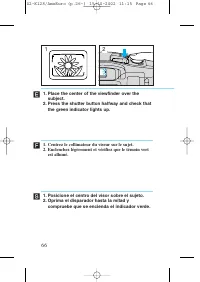
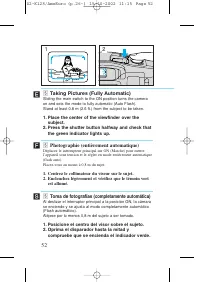
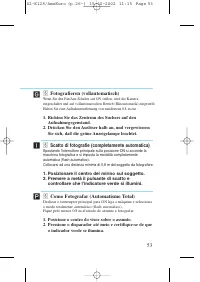
b Taking Pictures (Fully Automatic) Sliding the main switch to the ON position turns the cameraon and sets the mode to fully automatic (Auto Flash).Stand at least 0.8 m (2.6 ft.) from the subject to be taken. 1. Place the center of the viewfinder over the subject. 2. Press the shutter button halfway...
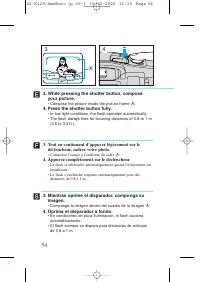
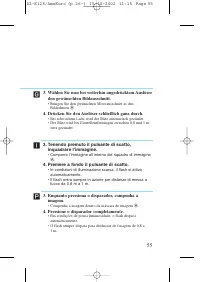
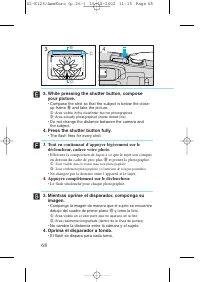
A 54 ´ Ï 3 4 Í 3. While pressing the shutter button, compose your picture. • Compose the picture inside the picture frame A . 4. Press the shutter button fully. • In low light conditions, the flash operates automatically.• The flash always fires for focusing distances of 0.8 to 1 m (2.6 to 3.3 ft.)....
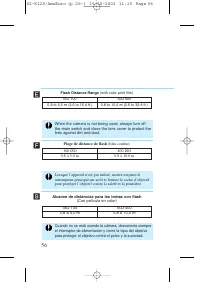
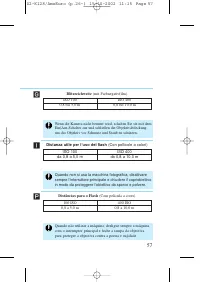
56 ´ Ï Í When the camera is not being used, always turn offthe main switch and close the lens cover to protect thelens against dirt and dust. Lorsque l’appareil n’est pas utilisé, mettez toujours leinterrupteur principal sur arrêt et fermez le cache d’objectifpour protéger l’objectif contre la salet...
B D C 3. While pressing the shutter button, compose your picture. • Compose the shot so that the subject is below the close- up frame B and take the picture. C : Area visible in the viewfinder but not photographed D : Area actually photographed (inside dotted line) • Do not change the distance betwe...
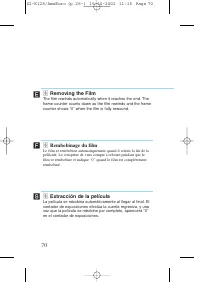
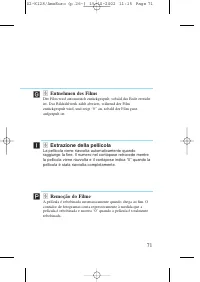
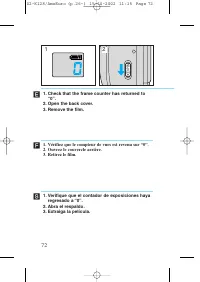
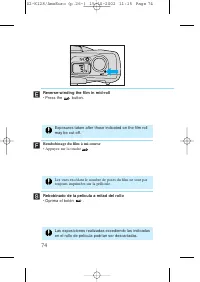
OPEN 72 Ï 1 2 Í 1. Verifique que el contador de exposiciones haya regresado a “0”. 2. Abra el respaldo.3. Extraiga la película. 1. Vérifiez que le compteur de vues est revenu sur “0”.2. Ouvrez le couvercle arrière.3. Retirez le film. ´ 1. Check that the frame counter has returned to “0”. 2. Open the...
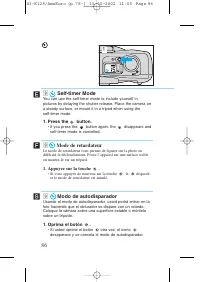
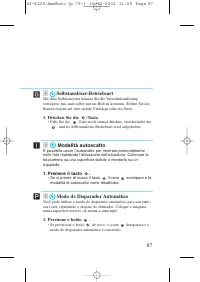
86 ´ Ï 1 Í . Self-timer Mode You can use the self-timer mode to include yourself inpictures by delaying the shutter release. Place the camera ona steady surface, or mount it in a tripod when using the self-timer mode. 1. Press the button. • If you press the button again, the disappears and self-time...
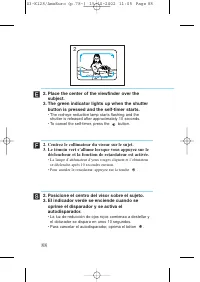
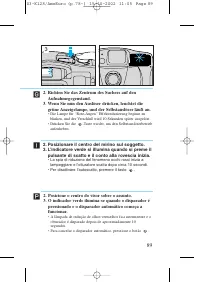
2. Place the center of the viewfinder over the subject. 3. The green indicator lights up when the shutter button is pressed and the self-timer starts. • The red-eye reduction lamp starts flashing and the shutter is released after approximately 10 seconds. • To cancel the self-timer, press the button...
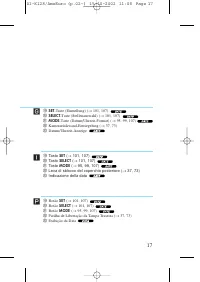
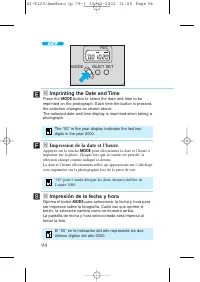
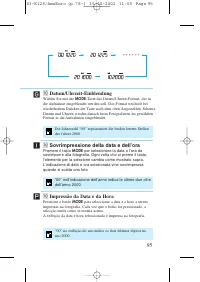
94 ´ Ï Í ⁄0 Impresión de la fecha y hora Oprima el botón MODE para seleccionar la fecha y hora para ser impresos sobre la fotografía. Cada vez que oprime elbotón, la selección cambia como se muestra arriba.La pantalla de fecha y hora seleccionada será impresa altomar la foto. MODE SELECT SET REC ⁄0 ...
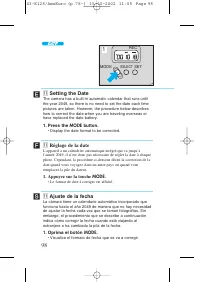
MODE SELECT SET REC 98 ´ Ï 2 Í ⁄1 Ajuste de la fecha La cámara tiene un calendario automático incorporado quefunciona hasta el año 2049 de manera que no hay necesidadde ajustar la fecha cada vez que se toman fotografías. Sinembargo, el procedimiento que se describe a continuaciónindica cómo corregir...
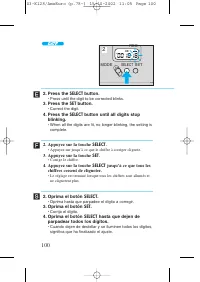
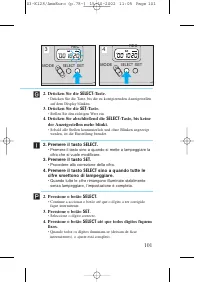
MODE SELECT SET REC 100 Ï 2 Í ´ 2. Oprima el botón SELECT . • Oprima hasta que parpadee el dígito a corregir. 3. Oprima el botón SET . • Corrija el dígito. 4. Oprima el botón SELECT hasta que dejen de parpadear todos los dígitos. • Cuando dejen de destellar y se iluminen todos los dígitos, significa...
102 ´ Ï Í The automatic calendar will not work correctly if onlythe date has been set. Always set the time as well. El calendario automático no funcionará correctamentesi se ha ajustado solamente la fecha. Siempre ajustetambién la hora. Le calendrier automatique ne fonctionnera pascorrectement si la...
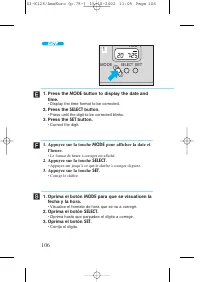
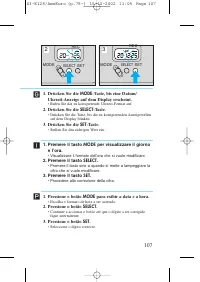
106 Ï Í ´ 1. Oprima el botón MODE para que se visualicen la fecha y la hora. • Visualice el formato de hora que se va a corregir. 2. Oprima el botón SELECT . • Oprima hasta que parpadee el dígito a corregir. 3. Oprima el botón SET . • Corrija el dígito. 1. Appuyez sur la touche MODE pour afficher la...
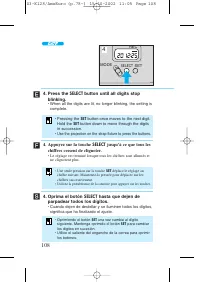
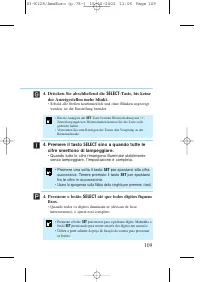
108 ´ Ï Í 4. Oprima el botón SELECT hasta que dejen de parpadear todos los dígitos. • Cuando dejen de destellar y se iluminen todos los dígitos, significa que ha finalizado el ajuste. MODE SELECT SET REC 4. Press the SELECT button until all digits stop blinking. • When all the digits are lit, no lon...
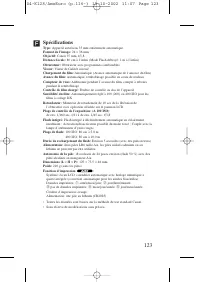
Ï 123 Spécifications Type: Appareil autofocus 35 mm entièrement automatique. Format de l’image: 24 × 36 mm Objectif: Canon 35 mm, f/3,8 Distance focale: 80 cm à l’infini (Mode Flash débrayé: 1 m à l’infini) Obturateur: Obturateur avec programmes combinables Viseur: Viseur de Galilée inversé Chargeme...
Canon Manuels
-
Canon 250
Manuel d'utilisation
-
Canon imageRUNNER ADVANCE DX C3935i
Manuel d'utilisation
-
Canon MF269DW VP
Manuel d'utilisation
-
Canon D1620
Manuel d'utilisation
-
Canon D1650
Manuel d'utilisation
-
Canon 525
Manuel d'utilisation
-
Canon D570
Manuel d'utilisation
-
Canon 215
Manuel d'utilisation
-
Canon 238
Manuel d'utilisation
-
Canon 236
Manuel d'utilisation
-
Canon 226
Notice
-
Canon FM1M944
Notice
-
Canon 228
Notice
-
Canon CU 90
Manuel d'utilisation
-
Canon TR
Manuel d'utilisation
-
Canon 260Z
Manuel d'utilisation
-
Canon 430 EZ
Manuel d'utilisation
-
Canon 4374B001
Manuel d'utilisation
-
Canon 7876A003 - CanoScan LiDE 50 Color Scanner
Manuel d'utilisation
-
Canon 80 Tele
Manuel d'utilisation