Thermaltake P3 - Mode d'emploi
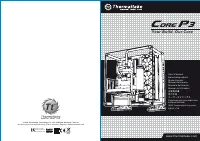
Boîtier PC Thermaltake P3 - Mode d'emploi, à lire gratuitement en ligne au format PDF. Nous espérons que cela vous aidera à résoudre toutes les questions que vous pourriez avoir. Si vous avez encore des questions, contactez-nous via le formulaire de contact.
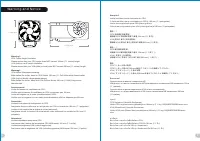
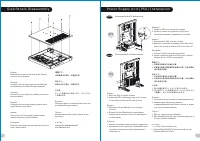
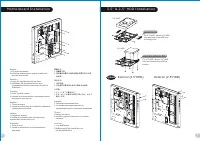
Table des matières:
- Page 2 – Wa r n i n g a n d N o t i c e
- Page 3 – S i d e Pa n e l s D i s a s s e m b l y; Po w e r S u p p l y U n i t ( P S U ) I n s t a l l a t i o n; I T X
- Page 4 – M o t h e r b o a r d I n s t a l l a t i o n
- Page 5 – P C I C a r d I n s t a l l a t i o n; D i r e c t; Type B
- Page 6 – L e a d s I n s t a l l a t i o n; English; Français
©
2016 Thermaltake Technology Co., Ltd. All Rights Reserved. 2016.10
All other registered trademarks belong to their respective companies.
w w w. t h e r m a l t a k e . c o m
w w w. t h e r m a l t a k e . c o m
U s e r ' s M a n u a l
B e n u t z e r h a n d b u c h
M o d e d ’ e m p l o i
M a n u a l d e l u s u a r i o
M a n u a l e d e l l ’ u t e n t e
M a n u a l d o U t i l i z a d o r
安 裝 說 明 書
用 戶 手 冊
ユ ー ザ ー ズ マ ニ ュ ア ル
Р у к о в о д с т в о п о л ь з о в а т е л я
k u l l a n
ı
c
ı
e l k i t a b
ı
(
E E E Y ö n e t m e l i
ğ
i n e U y g u n d u r )
ค ู ่ ม ื อ ก า ร ใ ช ้
Tested To Comply
With FCC Standards
FOR HOME OR OFFICE USE
Yo u r B u i l d . O u r C o r e
C
ore
P
3
藍 色 線 條 為 尺 寸 標 示 , 請 勿 印 刷 上 去 !
產 品 料 號
C A - 1 G 4 - 0 0 M 1 W N - 0 0
C o r e P 3
說 明 書
1 6
/
0 9
/
1 9
A
產 品 名 稱
印 刷 項 目
發 稿 日 期
版 本
騎 馬 釘
2 4
1 0 5
G
雙 銅
單 色
無
無
其 他 特 殊 處 理 效 果
表 面 處 理
2
厚 度
( g / m )
裝 訂 方 式
材 質
頁 數
印 刷 色 彩
規 格 樣 式
整 本
CHECK
DESIGN
Poki
(16/0
9
/
19
)
Mike
.
Lin
(16/0
9
/
19
)
刀 模 線
1 2 5
m m
1 7 6
m m
« Chargement du manuel » signifie que vous devez attendre que le fichier soit complètement chargé avant de pouvoir le lire en ligne. Certains manuels sont très volumineux, et le temps de chargement dépend de la vitesse de votre connexion Internet.
Ce manuel vous a-t-il été utile ?
À propos de ce manuel
- Marque
- Thermaltake
- Modèle
- P3
- Type de document
- Mode d'emploi
- Catégorie
- Boîtier PC
- Langue(s)
- Allemand, Anglais, Espagnol, Français, Italien, Dutch, Polonais, Russe, Swedish
- Pages
- 6
- Taille du fichier
- 7,9 MB
- Format
Résumé
Wa r n i n g a n d N o t i c e < 1 8 0 m m < 2 8 0 m m Wa r n i n g ! ! CPU Cooler Height Limitation: Please ensure that your CPU cooler does NOT exceed 180mm (7.1 inches) height. VGA (Add-on card) Length Limitation: Please ensure that your VGA (Add-on card) does NOT exceed 280mm (11 inches) l...
S i d e Pa n e l s D i s a s s e m b l y English /Remove the screws on the back of the chassis, and open the side panel Deutsch /Entfernen Sie die Schrauben auf der Rückseite des Gehäuses und öffnen Sie das Seitenteil Français /Enlevez les vis à l’arrière du châssis et ouvrez le panneau latéral Espa...
M o t h e r b o a r d I n s t a l l a t i o n English /1.Lay down the chassis.2.Install the motherboard in proper location and secure it with screws. Deutsch /1.Legen Sie das Gehäuse auf die Seite.2.Installieren Sie die Hauptplatine in ihrer vorgesehenen Position und sichern Sie sie mit Schrauben. F...