Samsung HW-J650 - Mode d'emploi
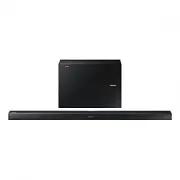
Barre de son Samsung HW-J650 - Mode d'emploi, à lire gratuitement en ligne au format PDF. Nous espérons que cela vous aidera à résoudre toutes les questions que vous pourriez avoir. Si vous avez encore des questions, contactez-nous via le formulaire de contact.


Table des matières:
- Page 2 – Wireless Audio - Soundbar; Imaginez les possibilités
- Page 3 – CARACTÉRISTIQUES; LICENCE
- Page 4 – FRA; INFORMATIONS RELATIVES À LA; AVERTISSEMENTS; ATTENTION
- Page 5 – PRÉCAUTIONS
- Page 6 – SOMMAIRE; DÉMARRAGE
- Page 7 – CONTENU; AVANT DE LIRE LE MANUEL D'UTILISATION; Icônes utilisées dans le présent manuel
- Page 9 – PANNEAU ARRIÈRE/INFÉRIEUR
- Page 11 – INSTALLATION DES PILES DANS LA TÉLÉCOMMANDE
- Page 12 – INSTALLATION DE LA FIXATION MURALE; PRÉCAUTIONS D’INSTALLATION
- Page 13 – INSTALLATION DU SUPPORT SANS SE REPORTER AU GUIDE
- Page 15 – CONNEXION DU CAISSON DE GRAVES; CONNEXION AUTOMATIQUE AU CAISSON DE GRAVES
- Page 17 – CONNEXION DE L'APPAREIL À UN; CONNEXIONS AVEC LE TÉLÉVISEUR À L'AIDE D'UN CÂBLE
- Page 21 – Câble AUX; Avant de connecter un périphérique USB
- Page 23 – MODE D’ENTRÉE; FONCTION AUTO POWER DOWN
- Page 25 – POUR DÉCONNECTER LE PÉRIPHÉRIQUE BLUETOOTH DU; POUR DÉCONNECTER LE SYSTÈME SOUNDBAR DU; À propos du Bluetooth
- Page 26 – UTILISATION DE LA FONCTION; UTILISATION DU MULTIROOM LINK; AVANT DE DÉMARRER; Bases de communication
- Page 27 – InstallatIon de l'applIcatIon samsung multIroom; android ou ios; accéder à l'application samsung multiroom; connexIon de la soundbar à votre réseau
- Page 28 – MISE À JOUR LOGICIELLE; MISE À JOUR VIA USB; Si UPDATE n’est pas affiché
- Page 29 – MISE À JOUR AUTOMATIQUE
- Page 30 – TÉPANNAGE
- Page 31 – SPéCIfICATIonS
13
ENG
INSTALLATION
1.
Place
Wall Mount L
on the desired wall surface parallel to the floor as shown above. Mark the location of the
screw holes on the wall. Drill holes for the screws at the places you have marked.
2.
Match the screw holes on Wall Mount L to the screw holes on the wall, and then screw one screw through the hole
in its right end. Tighten the screw until it is firmly fixed to the wall.
3.
Place
Wall Mount R
on the desired wall surface parallel to the floor and aligned with
Wall Mount L
as shown
above. Mark the location of the screw holes on the wall. Drill holes for the screws at the places you have marked.
4.
Match the screw holes on Wall Mount R to the screw holes on the wall, and then screw one screw through the
hole in its right end. Tighten the screw until it is firmly fixed to the wall.
•
If you are mounting the Wall Mounts beneath the TV, make sure to position the mounts 5 or more cm below
the TV and to align the mounts with the centre of the TV as shown above.
5.
Insert screws through the remaining holes, and then tighten.
DETACHING THE WALL MOUNT
1.
Pull the Soundbar upwards as shown in the figure to separate it from the wall mounts.
Detaching the Soundbar from the
Wall Mounts
●
Do not hang onto the installed unit and avoid striking or dropping the unit.
●
Secure the unit firmly to the wall so that it does not fall off. If the unit falls off, it may cause an injury or
damage the product.
●
When the unit is installed on a wall, please make sure that children do not pull any of the connecting
cables, as it may cause it to fall.
●
For the optimal performance of a wall mount installation, install the speaker system at least 5 cm below the
TV, if the TV is mounted on the wall.
●
For your safety, if you do not mount the unit on the wall, install it on a secure, flat surface where it is unlikely
to fall.
« Chargement du manuel » signifie que vous devez attendre que le fichier soit complètement chargé avant de pouvoir le lire en ligne. Certains manuels sont très volumineux, et le temps de chargement dépend de la vitesse de votre connexion Internet.
Ce manuel vous a-t-il été utile ?
À propos de ce manuel
- Marque
- Samsung
- Modèle
- HW-J650
- Type de document
- Mode d'emploi
- Catégorie
- Barre de son
- Langue(s)
- Allemand, Anglais, Français, Dutch
- Pages
- 33
- Taille du fichier
- 20,4 MB
- Format
Résumé
Wireless Audio - Soundbar Imaginez les possibilités Merci d’avoir choisi un appareil Samsung. Pour recevoir une assistance plus complète, veuillez enregistrer votre produit sur www.samsung.com/register Manuel d'utilisation HW-J650 HW-J651
2 DÉMARRAGE CARACTÉRISTIQUES Services de musique en streaming La Soundbar vous permet d'accéder encore plus facilement à votre musique préférée, grâce à ses fonctionnalités Wi-Fi. Accès facile à l'application Samsung Multiroom pour profiter au maximum des services de musique en streaming disponibles...
3 FRA DÉMARRAGE INFORMATIONS RELATIVES À LA SÉCURITÉ AVERTISSEMENTS POUR ÉVITER LES RISQUES DE CHOC ÉLECTRIQUE, NE DÉMONTEZ PAS LE CAPOT. L’APPAREIL NE CONTIENT PAS DE PIÈCES RÉPARABLES PAR L’UTILISATEUR ; S’ADRESSER À UN SERVICE APRÈS-VENTE QUALIFIÉ. ATTENTION RISQUE DE CHOC ÉLECTRIQUE. NE PAS OUVR...
Poser une question
Manuels associés
Plus de modèles barres de son Samsung
 Mode d'emploi Samsung HW-H7501
 Mode d'emploi Samsung HW-J250
 Mode d'emploi Samsung HW-J355
 Mode d'emploi Samsung HW-J470
 Mode d'emploi Samsung HW-J550
 Mode d'emploi Samsung HW-J551
 Mode d'emploi Samsung HW-J651
 Mode d'emploi Samsung HW-J6000
 Mode d'emploi Samsung HW-J6000R
 Mode d'emploi Samsung HW-J6001
 Mode d'emploi Samsung HW-J6001R
 Mode d'emploi Samsung HW-J6500
 Guide rapide Samsung HW-J6500R
- Mode d'emploi Samsung HW-J6501
 Mode d'emploi Samsung HW-J7500R
 Mode d'emploi Samsung HW-J7501R
 Guide rapide Samsung HW-J8500R
 Guide rapide Samsung HW-K430
 Mode d'emploi Samsung HW-K470
 Guide rapide Samsung HW-K550