Yamaha PSS-290 - Manuels
Yamaha PSS-290 - Manuel d'utilisation en ligne au format PDF.
Manuels:
Manuel d'utilisation Yamaha PSS-290


Résumé
Congratulations on your purchase of the Yamaha PortaSound PSS-290! You now own a great portable keyboard with a compact form that is packed full of musical enjoyment. Its outstanding features, developed through the culmina tion of the latest technology, will surely provide your performance with gre...
PRECAUTIONS -TAKING care OF YOUR PORTASOUND Your new PortaSound is a fine musical instrument— and should be treated as such.Handle it with care and common sense, and it will give you years of enjoyment. Location •Avoid exposure to direct sunlight or other sources of heat. Never leave it inside a car...
GETTING STARTED POWER Your PortaSound can run on batteries or can run on a household current by connection to the optional Yamaha PA-3, PA-4, or PA-40 Power Adaptor. Inserting Batteries Turn the instrument, upside-down and remove the battery compartment lid. Insert six 1.5V size“C” batteries, making...
Yamaha Manuels
-
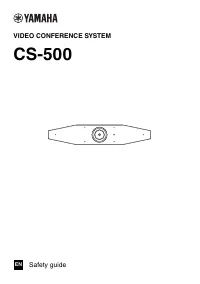 Yamaha CW2002100
Notice
Yamaha CW2002100
Notice
-
 Yamaha R N2000ABL
Notice d'Installation
Yamaha R N2000ABL
Notice d'Installation
-
 Yamaha SR B40ABL
Notice
Yamaha SR B40ABL
Notice
-
 Yamaha CS 800
Notice
Yamaha CS 800
Notice
-
 Yamaha ANAD 420FIOT B
Notice
Yamaha ANAD 420FIOT B
Notice
-
Yamaha ANAD 420FIOT B
Manuel d'utilisation
-
 Yamaha ANAD 420FIOT W
Manuel d'utilisation
Yamaha ANAD 420FIOT W
Manuel d'utilisation
-
Yamaha ANAD 420FIOT W
Notice
-
 Yamaha X2Y
Notice
Yamaha X2Y
Notice
-
Yamaha ATS C200
Manuel d'utilisation
-
 Yamaha EP E30A
Manuel d'utilisation
Yamaha EP E30A
Manuel d'utilisation
-
 Yamaha HTR 6072
Manuel d'utilisation
Yamaha HTR 6072
Manuel d'utilisation
-
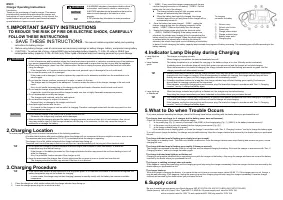 Yamaha ESC3
Manuel d'utilisation
Yamaha ESC3
Manuel d'utilisation
-
 Yamaha TTS303
Manuel d'utilisation
Yamaha TTS303
Manuel d'utilisation
-
 Yamaha YAS 108
Notice
Yamaha YAS 108
Notice
-
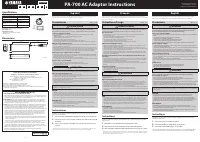 Yamaha PA 700
Manuel d'utilisation
Yamaha PA 700
Manuel d'utilisation
-
 Yamaha NP S303
Notice
Yamaha NP S303
Notice
-
 Yamaha MCRB043A
Manuel d'utilisation
Yamaha MCRB043A
Manuel d'utilisation
-
 Yamaha MCR B043
Manuel d'utilisation
Yamaha MCR B043
Manuel d'utilisation
-
 Yamaha EPHWS01
Manuel d'utilisation
Yamaha EPHWS01
Manuel d'utilisation