Yamaha PortaSound PSS-460- Manuels
Yamaha PortaSound PSS-460- Manuel d'utilisation en ligne au format PDF.
Manuels:
Manuel d'utilisation Yamaha PortaSound PSS-460


Résumé
Before Playing Inserting Batteries Remove the battery compartment cover on the bottom of the instrument and insert six 1.5V SUM-2, “C” size, or equivaient alkaline batteries (soid separateiy), making sure that the poiarities are piaced as directed inside the compartment. Repiace the cover, ensuring ...
starting to play Orchestra section First, try the sounds in the Orchestra section, which is a fundamental part of this keyboard. 1. Switch on Slide the POWER switch ® to the “ON” position. The power-on light will then illuminate. • If the sound distorts when you’re using batteries, this indicates th...
pressing one of the ORCHESTRA VOICE selectors®. The lamps will indicate which voice has been selected (PSS-460). *PSS-360 has 20 voices. 5. Adding sustain If you set the SUSTAIN selector @ to ON, notes will linger after you lift your fingers from the keys. Sustain will be added to each note played. ...
Yamaha Manuels
-
 Yamaha CW2002100
Notice
Yamaha CW2002100
Notice
-
 Yamaha R N2000ABL
Notice d'Installation
Yamaha R N2000ABL
Notice d'Installation
-
 Yamaha SR B40ABL
Notice
Yamaha SR B40ABL
Notice
-
 Yamaha CS 800
Notice
Yamaha CS 800
Notice
-
 Yamaha ANAD 420FIOT B
Notice
Yamaha ANAD 420FIOT B
Notice
-
Yamaha ANAD 420FIOT B
Manuel d'utilisation
-
 Yamaha ANAD 420FIOT W
Manuel d'utilisation
Yamaha ANAD 420FIOT W
Manuel d'utilisation
-
Yamaha ANAD 420FIOT W
Notice
-
 Yamaha X2Y
Notice
Yamaha X2Y
Notice
-
Yamaha ATS C200
Manuel d'utilisation
-
 Yamaha EP E30A
Manuel d'utilisation
Yamaha EP E30A
Manuel d'utilisation
-
 Yamaha HTR 6072
Manuel d'utilisation
Yamaha HTR 6072
Manuel d'utilisation
-
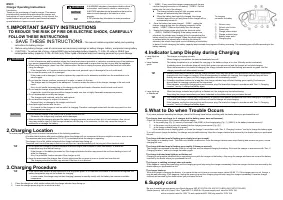 Yamaha ESC3
Manuel d'utilisation
Yamaha ESC3
Manuel d'utilisation
-
 Yamaha TTS303
Manuel d'utilisation
Yamaha TTS303
Manuel d'utilisation
-
 Yamaha YAS 108
Notice
Yamaha YAS 108
Notice
-
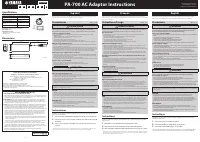 Yamaha PA 700
Manuel d'utilisation
Yamaha PA 700
Manuel d'utilisation
-
 Yamaha NP S303
Notice
Yamaha NP S303
Notice
-
 Yamaha MCRB043A
Manuel d'utilisation
Yamaha MCRB043A
Manuel d'utilisation
-
 Yamaha MCR B043
Manuel d'utilisation
Yamaha MCR B043
Manuel d'utilisation
-
 Yamaha EPHWS01
Manuel d'utilisation
Yamaha EPHWS01
Manuel d'utilisation