Yamaha PC-1000 - Manuels
Yamaha PC-1000 - Manuel d'utilisation en ligne au format PDF.
Manuels:
Manuel d'utilisation Yamaha PC-1000


Résumé
Thank you for purchasing a Yamaha PortaTone PC-1000. It’s a revolutionary product that lets you enjoy playing and learning keyboard music in a variety of ways. You can quickly learn melodies and chords with the Playcard system. And with the Auto Bass Chord system you can start playing professional-l...
starting to play 1. If you are going to use battery power, first insert the batteries in the com partment as described eariier. Before using with household current or a car battery, ensure that the optional adaptor is safeiy connected. Siide the POWER switch @ to the “ON” position. The Power-on lig...
г Insert a Playcard Select a Playcard, remove it from the protective envelope, and place it in the groove so that its ieading edge is ievei with the arrow designating the insertion position (see figure). Then slide the Playcard firmly along the groove in one action from right to left until it reache...
Yamaha Manuels
-
 Yamaha CW2002100
Notice
Yamaha CW2002100
Notice
-
 Yamaha R N2000ABL
Notice d'Installation
Yamaha R N2000ABL
Notice d'Installation
-
 Yamaha SR B40ABL
Notice
Yamaha SR B40ABL
Notice
-
 Yamaha CS 800
Notice
Yamaha CS 800
Notice
-
 Yamaha ANAD 420FIOT B
Notice
Yamaha ANAD 420FIOT B
Notice
-
Yamaha ANAD 420FIOT B
Manuel d'utilisation
-
 Yamaha ANAD 420FIOT W
Manuel d'utilisation
Yamaha ANAD 420FIOT W
Manuel d'utilisation
-
Yamaha ANAD 420FIOT W
Notice
-
 Yamaha X2Y
Notice
Yamaha X2Y
Notice
-
Yamaha ATS C200
Manuel d'utilisation
-
 Yamaha EP E30A
Manuel d'utilisation
Yamaha EP E30A
Manuel d'utilisation
-
 Yamaha HTR 6072
Manuel d'utilisation
Yamaha HTR 6072
Manuel d'utilisation
-
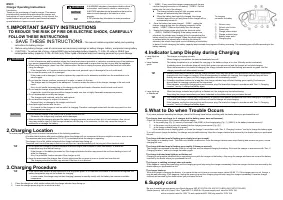 Yamaha ESC3
Manuel d'utilisation
Yamaha ESC3
Manuel d'utilisation
-
 Yamaha TTS303
Manuel d'utilisation
Yamaha TTS303
Manuel d'utilisation
-
 Yamaha YAS 108
Notice
Yamaha YAS 108
Notice
-
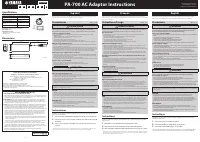 Yamaha PA 700
Manuel d'utilisation
Yamaha PA 700
Manuel d'utilisation
-
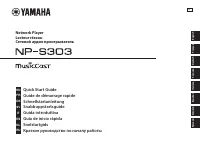 Yamaha NP S303
Notice
Yamaha NP S303
Notice
-
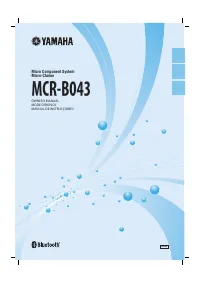 Yamaha MCRB043A
Manuel d'utilisation
Yamaha MCRB043A
Manuel d'utilisation
-
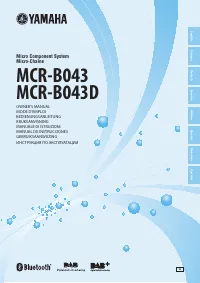 Yamaha MCR B043
Manuel d'utilisation
Yamaha MCR B043
Manuel d'utilisation
-
 Yamaha EPHWS01
Manuel d'utilisation
Yamaha EPHWS01
Manuel d'utilisation