Page 2 - Nomenclature; Nomenclatura
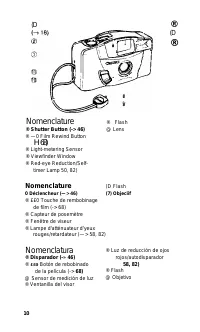
(D ® (D ® Nomenclature ® Shutter Button (-> 46) ® —0 Film Rewind Button H 68) ® Light-metering Sensor ® Viewfinder Window ® Red-eye Reduction/Self- timer Lamp 50, 82) ® Flash @ Lens Nomenclature 0 Déclencheur (—> 46) ® ££0 Touche de rembobinage de film (-> 68) ® Capteur de posemètre ® Fenêt...
Page 3 - iî; ® Fenêtre de contrôle de film; Н Nomenclatura
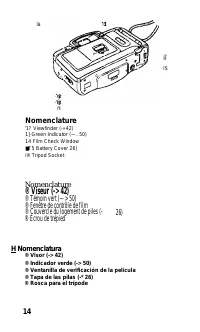
là iî IS f7i Nomenclature '1? Viewfinder (-»42) 1} Green Indicator (—. 50) 14 Film Check Window ■T5 Battery Cover 26) i® Tripod Socket Nomenclature ® Viseur (-> 42) ® Témoin vert (—> 50) ® Fenêtre de contrôle de film ® Couvercle du logement de piles (- ® Écrou de trépied 26) Н Nomenclatura ® V...
Page 4 - Q [Tj Mise en place des piles/Mise sous tension; ouvrez le couvercle du logement des piles sous; Q] Carga de las pilas/Encendido de la cámara
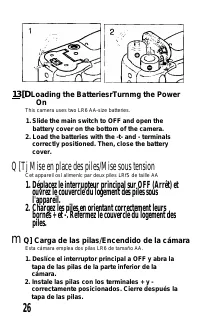
13 [D Loading the BatteriesrTurnmg the Power On This camera uses two LR6 AA-size batteries. 1. Slide the main switch to OFF and open the battery cover on the bottom of the camera. 2. Load the batteries with the -t- and - terminals correctly positioned. Then, close the battery cover. Q [Tj Mise en pl...
Page 5 - Slide the main switch to ON and check the; et vérifiez les piles.; Deslice el interruptor principal a ON y revise las
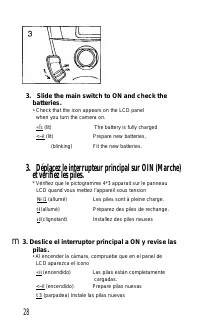
3. Slide the main switch to ON and check the batteries. • Check that the icon appears on the LCD panel when you turn the camera on. «Î 1 (lit) The battery is fully charged <~ii (lit) Prepare new batteries, (blinking) Fit the new batteries. 3. Déplacez le interrupteur principal sur OIN (Marche) et...
Page 6 - ■ a o; B O
B » ' Always check the batteries before taking any pictures. (-> 28) ' Do not use nickel-cadmium or lithium batteries •When replacing the batteries, be sure to replace both batteries at the same time with new ones. • Always remove the batteries from the camera if you will not be using it for a lo...
Page 8 - • Si t'appareil ne fonciionne pas quand des piles neuves sont
»Long-life alkaline batteries are recommended.»If the camera does not work after new batteries have been loaded, remove the batteries, then insert them again. • Utiiis.e^ des piles alcalines longue durée. • Si t'appareil ne fonciionne pas quand des piles neuves sont insérées, retirez les piles et re...
Page 9 - 3 [H Loading the Film; Q U] Chargement du film; Carga de la película
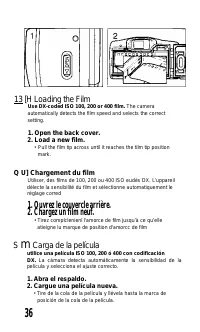
13 [H Loading the Film Use DX-coded ISO 100, 200 or 400 film. The camera automatically detects the film speed and selects the correct setting. 1. Open the back cover. 2. Load a new film. • Pull the film tip across until it reaches the tilm tip position mark. Q U] Chargement du film Utiliser, des fil...
Page 10 - “1” is displayed in the frame counter.; “1” est affiché sur le compteur de vues.; Se visualiza “1” en el contador de exposiciones.
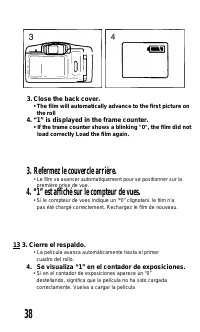
3. Close the back cover. • The film will automatically advance to the first picture on the roll 4. “1” is displayed in the frame counter. • If the trame counter shows a blinking "0", the film did not load correctly Load the film again. 3. Refermez le couvercle arrière. • Le film va avancer a...
Page 11 - ■a o
B o • If you insert the batteries after loading the film, turn on the main switch, and press the shutter button once. The film will automatically advance to the first frame. ■ This camera is designed to be used with negative film only. Therefore, slide film cannot be used. ■a o ' Si vous insérez les...
Page 12 - Holding the Camera/Viewfinder; Sosteniendo la cámaraA/isor
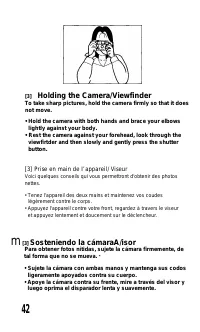
[3] Holding the Camera/Viewfinder To take sharp pictures, hold the camera firmly so that it does not move. • Hold the camera with both hands and brace your elbows lightly against your body. • Rest the camera against your forehead, look through the viewfirtder and then slowly and gently press the shu...
Page 13 - B o
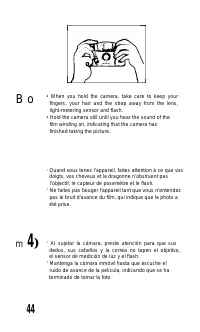
B o • When you hold the camera, take care to keep your fingers, your hair and the strap away from the lens, light-metering sensor and flash. • Hold the camera still until you hear the sound of the film winding on, indicating that the camera has finished taking the picture. ' Quand vous tenez l’appar...
Page 14 - Shutter Button Action; g] Acción del disparador
[I] Shutter Button Action The shutter button has a two-step action. The first step sets the exposure, whiie the second step reieases the shutter. Be sure to press the shutter button siowiy and gentiy. [ 4 ] Déclencheur Le déclencheur procède en deux tempsPremièrement, il règle l’exposition et deuxiè...
Page 16 - Green Indicator; Témoin vert; Indicador verde
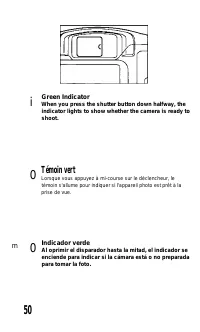
i Green Indicator When you press the shutter button down halfway, the indicator lights to show whether the camera is ready to shoot. 0 Témoin vert Lorsque vous appuyez à mi-course sur le déclencheur, le témoin s'allume pour indiquer si l'appareil photo est prêt à la prise de vue. m 0 Indicador verde...
Page 17 - Regardez dans le viseur pour composer votre photo.
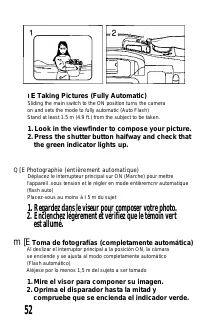
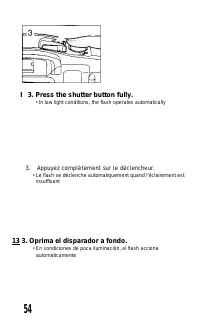
l E Taking Pictures (Fully Automatic) Sliding the main switch to the ON position turns the camera on and sets the mode to fully automatic (Auto Flash)Stand at least 1.5 m (4.9 ft.) from the subject to be taken. 1. Look in the viewfinder to compose your picture. 2. Press the shutter button haifway an...
Page 19 - Plage de distance de flash
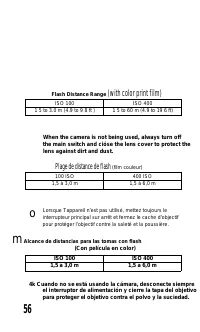
Flash Distance Range (with color print film) ISO 100 ISO 400 1 5 to 3.0 m (4.9 to 9 8 ft ) 1 5 to 60 m (4.9 to 19 6 ft) When the camera is not being used, always turn off the main switch and cióse the lens cover to protect the lens against dirt and dust. Plage de distance de flash (film couleur) 100...
Page 20 - Fonction atténuateur d’yeux rouges
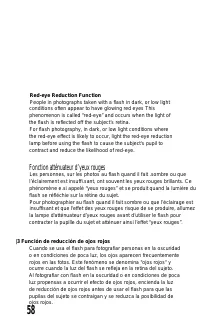
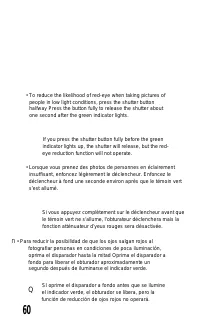
Red-eye Reduction Function People in photographs taken with a flash in dark, or low light conditions often appear to have glowing red eyes This phenomenon is called “red-eye” and occurs when the light of the flash is reflected off the subject’s retina. For flash photography, in dark, or low light co...
Page 24 - Check that the frame counter has returned to; Vérifiez que le compteur de vues est revenu sur “0”; B 1. Verifique que el contador de exposiciones haya
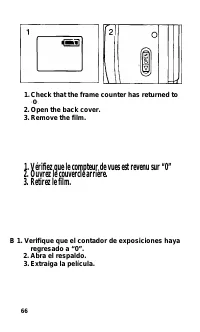
1. Check that the frame counter has returned to “ 0 ”. 2. Open the back cover.3. Remove the film. 1. Vérifiez que le compteur de vues est revenu sur “0” 2. Ouvrez le couvercle arrière. 3. Retirez le film. B 1. Verifique que el contador de exposiciones haya regresado a “0”. 2. Abra el respaldo. 3. Ex...
Page 25 - Rembobinage du film à mi-course; • Appuyez sur la louche sQ .
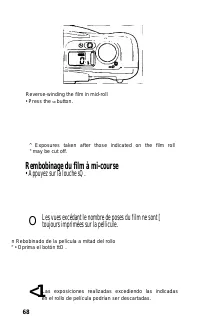
Reverse-winding the film in mid-roll • Press the so button. ^ Exposures taken after those indicated on the film roll " may be cut off. Rembobinage du film à mi-course • Appuyez sur la louche sQ . O Les vues excédant le nombre de poses du film ne sont [ toujours imprimées sur la pellicule. n Rebo...
Page 27 - Press the; Oprima el botón V hasta que aparezca el icono i
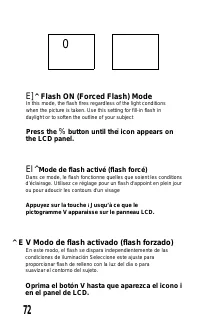
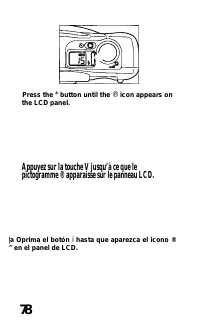
0 E] ^ Flash ON (Forced Flash) Mode In this mode, the flash fires regardless of the light conditions when the picture is taken. Use this setting for fill-in flash in daylight or to soften the outline of your subject Press the % button until the the LCD panel. i icon appears on El ^ Mode de flash act...
Page 30 - Q m tí Modo de flash desactivado (sin flash)
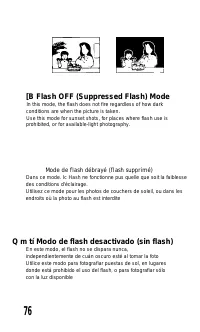
[B Flash OFF (Suppressed Flash) Mode In this mode, the flash does not fire regardless of how dark conditions are when the picture is taken. Use this mode for sunset shots, for places where flash use is prohibited, or for available-light photography. Mode de flash débrayé (flash supprimé) Dans ce mod...
Page 33 - button is pressed and the self-timer starts.; • The red-eye reduction lamp starts flashing and the; Regardez dans le viseur pour composer votre photo.; B 2. Mire el visor para componer su imagen.; • La luz de reducción de ojos rojos comienza a destellar y
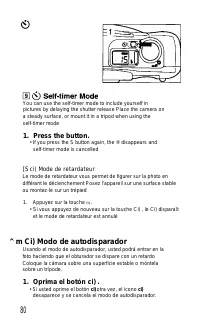
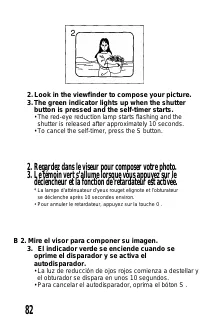
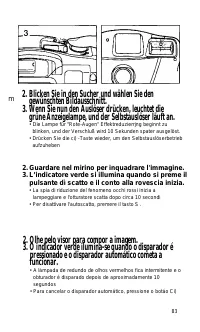
2. Look in the viewfinder to compose your picture.3. The green indicator lights up when the shutter button is pressed and the self-timer starts. • The red-eye reduction lamp starts flashing and the shutter is released after approximately 10 seconds. • To cancel the self-timer, press the S button. 2....
Page 36 - 3 m Imprinting the Date and Time; El m; Impresión de la fecha y hora
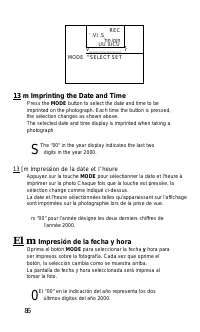
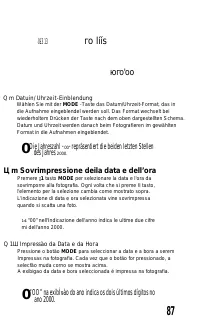
REC ' .VI .S 'nn injn UU lUCU V___________ _ } MODE ^ SELECT SET 13 m Imprinting the Date and Time Press the MODE button to select the date and time to be imprinted on the photograph. Each time the button is pressed, the selection changes as shown above.The selected date and time display is imprinte...
Page 38 - s i
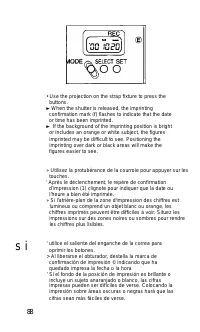
• Use the projection on the strap fixture to press the buttons. ►When the shutter is released, the imprinting confirmation mark (f) flashes to indicate that the date or time has been imprinted. ► If the background of the imprinting position is bright or includes an orange or white subject, the figur...
Page 39 - T’JJím; H3 Setting the Date; m Ajuste de la fecha
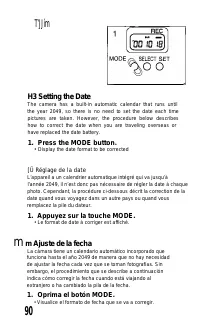
T’JJím H3 Setting the Date The camera has a built-in automatic calendar that runs until the year 2049, so there is no need to set the date each time pictures are taken. However, the procedure below describes how to correct the date when you are traveling overseas or have replaced the date battery. 1...
Page 40 - Press the SELECT button until all digits stop; Appuyez sur la touche SELECT jusqu’à ce que tous les; Oprima el botón SELECT hasta que dejen de
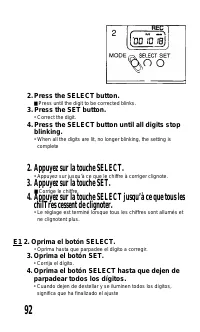
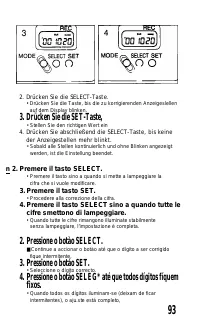
2. Press the SELECT button. ■ Press until the digit to be corrected blinks. 3. Press the SET button. • Correct the digit. 4. Press the SELECT button until all digits stop blinking. • When all the digits are lit, no longer blinking, the setting is complete 2. Appuyez sur la touche SELECT. • Appuyez s...
Page 43 - in Setting the Time; ^ n Ajuste de ta hora
in Setting the Time The camera has a built-in automatic calendar that runs until the year 2049, so there is no need to set the time each time pictures are taken. However, the procedure below describes how to correct the time when you are traveling overseas or have replaced the date battery. m Réglag...
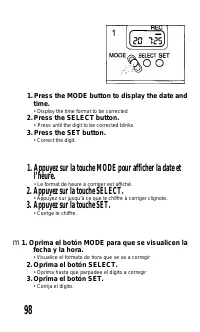
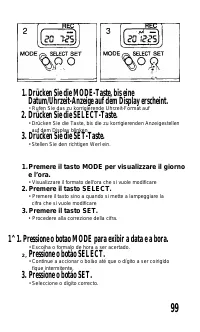
Page 44 - Press the MODE button to display the date and; Appuyez sur la touche MODE pour afficher la date et; Oprima el botón MODE para que se visualicen la
1. Press the MODE button to display the date and time. • Display the time format to be corrected 2. Press the SELECT button. • Press until the digit to be corrected blinks 3. Press the SET button. • Correct the digit. 1. Appuyez sur la touche MODE pour afficher la date et l’heure. • Le format de heu...
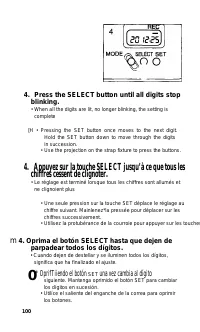
Page 46 - Press the SELECT button until all digits stop; * OprifTiiendo el botón
4. Press the SELECT button until all digits stop blinking. • When all the digits are lit, no longer blinking, the setting is complete [H • Pressing the SET button once moves to the next digit. Hold the SET button down to move through the digits in succession. • Use the projection on the strap fixtur...
Page 47 - Replacing the Date Battery; Rempluccment di.’ la pile du dateur; S Cambiando la pila de la fecha
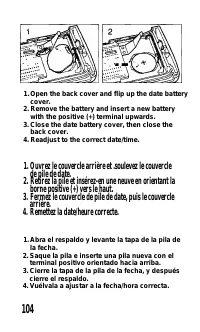
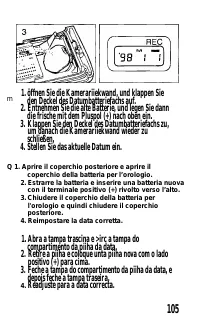
Replacing the Date Battery When the digits imprinted on photographs become faint regardless of the background, replace the date battery. One CR2025 lithium battery is used to maintain the date. Rempluccment di.’ la pile du dateur Quand les chiiTrcs imprimís sur les phnios deviennent illisibles quel ...