KitchenAid KFDD500ESS - Notice
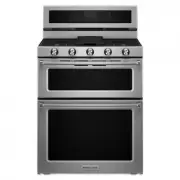
Cuisinière KitchenAid KFDD500ESS - Notice, à lire gratuitement en ligne au format PDF. Nous espérons que cela vous aidera à résoudre toutes les questions que vous pourriez avoir. Si vous avez encore des questions, contactez-nous via le formulaire de contact.

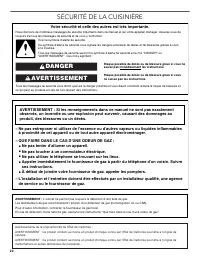
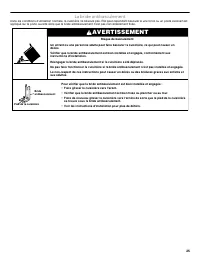
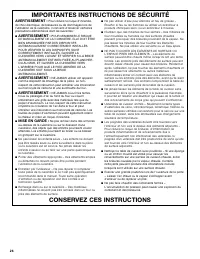
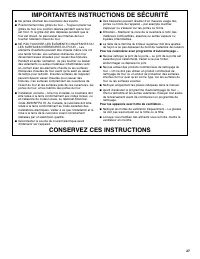
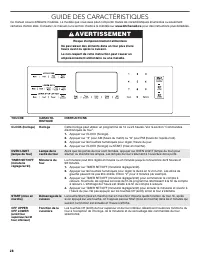
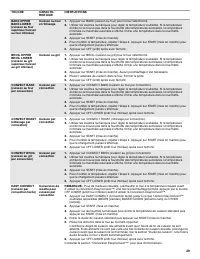

Table des matières:
- Page 1 – Press START to select the choice displayed in Step 2. Wait; Keep Warm; Sabbath Mode; Press START, OFF UPPER or OFF LOWER to save the setting; To Activate Sabbath Mode:; Press the number keypad as instructed by the scrolling text to; To Deactivate Sabbath Mode:
- Page 2 – Table des matières
- Page 3 – SÉCURITÉ DE LA CUISINIÈRE; AVERTISSEMENT
- Page 4 – La bride antibasculement; Risque de basculement
- Page 6 – Pour les cuisinières avec programme d’autonettoyage –; Pour les appareils avec hotte de ventilation –
- Page 7 – GUIDE DES CARACTÉRISTIQUES; TOUCHE; Risque d'empoisonnement alimentaire
- Page 9 – Insérer les aliments lorsque le préchauffage est terminé.; OPTIONS
- Page 10 – UTILISATION DE LA TABLE DE CUISSON; Enfoncer et tourner le bouton dans le sens antihoraire à; Panne de courant; Brûleurs de surface scellés; Risque d’incendie
- Page 11 – Arrière de la cuisinière
- Page 12 – Plaque à frire; Utilisation de la plaque à frire :; Ustensiles de cuisson
- Page 13 – Mise en conserve à la maison; UTILISATION DU FOUR; Commandes électroniques du four; Trois signaux sonores; Quatre signaux sonores
- Page 14 – Maintien au chaud
- Page 15 – Mode Sabbat; Papier d’aluminium
- Page 16 – Grille déployable
- Page 17 – Préchauffage; Cuisson au gril
- Page 18 – Fourchette de température recommandée :
- Page 19 – Pour utiliser la fonction de cuisson lente :; Durée de cuisson
- Page 20 – ENTRETIEN DE LA CUISINIÈRE; Programme d’autonettoyage; Préparation de la cuisinière :; Fermer les portes des fours et appuyer sur SELF CLEAN; Durée de nettoyage totale
- Page 21 – Nettoyage général
- Page 22 – GRILLES DU FOUR; Méthode de nettoyage :; CAVITÉ DU FOUR; Lampes du four; Débrancher la cuisinière ou déconnecter la source de courant; Brancher la cuisinière ou reconnecter la source de courant
- Page 23 – RÉSOLUTION DE PROBLÈMES; PROBLÈME; Rien ne fonctionne
- Page 24 – Bruits; Brûleur mouillé : Laisser au brûleur le temps de sécher.
- Page 25 – ACCESSOIRES
- Page 26 – SI VOUS AVEZ BESOIN DE SERVICE :; GARANTIE LIMITÉE DE UN AN
12
Languages - Scrolling Display Text
Language options are English, Spanish and French.
1. Press OPTIONS until “LANGUAGE” is displayed.
2. The current setting will be displayed.
3. Press the number keypad to adjust the setting.
4. Press OFF UPPER or OFF LOWER to exit and display the time
of day.
Energy Save
The Energy Save mode deactivates the display to reduce energy
consumption.
1. Press OPTIONS until “ENERGY SAVE” is displayed.
2. The current setting will be displayed.
3. Press the “1” keypad to adjust the setting.
4. Press OFF UPPER or OFF LOWER to exit and display the time
of day.
Oven Temperature Offset Control
IMPORTANT: Do not use a thermometer to measure oven
temperature. Elements will cycle on and off as needed to provide
consistent temperature, but they may run slightly hot or cool at
any point in time due to this cycling. Most thermometers are slow
to react to temperature change and will not provide an accurate
reading due to this cycling.
The oven provides accurate temperatures; however, it may cook
faster or slower than your previous oven, so the temperature can
be adjusted to personalize it for your cooking needs. It can be
changed to Fahrenheit or Celsius.
To Adjust Oven Temperature:
1. Press OPTIONS until “TEMP CALIB” is displayed.
2. The current setting will be displayed. Press the “1” keypad to
toggle between the upper and lower ovens.
3. Press START to select the choice displayed in Step 2. Wait
10 seconds for the display to change or press START, and then
continue with Step 4.
4. Press the “3” keypad to increase the temperature in 5°F (3°C)
increments, or press the “6” keypad to decrease the
temperature in 5°F (3°C) increments. The range is from -30°F to
+30°F (-18°C to +18°C).
5. Press OFF UPPER or OFF LOWER to exit and display the time
of day.
Keep Warm
IMPORTANT: Food must be at serving temperature before placing
it in the warmed oven. Food may be held up to 1 hour; however,
breads and casseroles may become too dry if left in the oven
during the Keep Warm function. For best results, cover food.
The Keep Warm feature allows hot cooked foods to stay at serving
temperature.
To Use:
1. Press KEEP WARM for the desired oven.
2. Press the number keypads to set the desired temperature. If
the temperature entered is not in the range of the temperatures
allowed, the minimum or maximum allowed temperature will be
displayed. Enter a temperature in the allowable range.
NOTE: The temperature may be changed at any time by
pressing the number keypads to enter the desired temperature
and then START.
3. Press START.
4. Place food in the oven.
5. Press OFF for the selected oven when finished.
6. Remove food from the oven.
To Cancel Keep Warm Feature:
Press OFF for the selected oven. Remove food from oven.
Sabbath Mode
The Sabbath Mode sets the oven to remain on in a bake setting
until turned off.
When the Sabbath Mode is set, only the Bake cycle will operate. All
other cooking and cleaning cycles are disabled. No tones will
sound, and the displays will not indicate temperature changes.
When the oven door is opened or closed, the oven light will not turn
on or off, and the heating elements will not turn on or off
immediately.
NOTE: Warm Zone is not available when Sabbath Mode is
enabled.
To Enable Sabbath Mode Capability (One Time Only):
1. Press OPTIONS until “SABBATH” is displayed.
2. Press the “1” keypad. Sabbath Mode can be activated for
baking.
3. Press START, OFF UPPER or OFF LOWER to save the setting
and exit to display the time of day.
NOTE: To disable the Sabbath Mode, repeat steps 1 through 3
to change the status from “SABBATH ON” to “SABBATH OFF.”
To Activate Sabbath Mode:
1. Press BAKE for the desired oven.
2. Press the number keypads to set the desired temperature. If
the temperature entered is not in the range of the temperatures
allowed, the minimum or maximum allowed temperature will be
displayed. Enter a temperature in the allowable range.
3. Press START.
For timed cooking in Sabbath Mode, press COOK TIME, and
then press the number keypads to set the desired cook time.
Press START.
4. (Optional) If Sabbath Mode is to be used for both ovens, repeat
steps 1 through 3 for the second oven.
5. Press OPTIONS. Three tones will sound. Then press “7.” “SAb”
will appear in the display.
To Adjust Temperature (when Sabbath Mode is running in only
one oven):
1. Press the number keypad as instructed by the scrolling text to
select the new temperature.
NOTE: The temperature adjustment will not appear on the
display, and no tones will sound. The scrolling text will be
shown on the display as it was before the keypad was pressed.
2. Press START.
To Adjust Temperature (when Sabbath Mode is running in both
ovens):
1. Press BAKE for the desired oven.
2. Press the number keypad as instructed by the scrolling text to
select the new temperature.
NOTE: The temperature adjustment will not appear on the
display, and no tones will sound. The scrolling text will be
shown on the display as it was before the keypad was pressed.
3. Press START.
To Deactivate Sabbath Mode:
Press OPTIONS, and then press “7” to return to regular baking, or
press OFF UPPER or OFF LOWER to turn off the oven(s).
WARNING
Food Poisoning Hazard
Do not let food sit in oven more than one hour before
or after cooking.
Doing so can result in food poisoning or sickness.
« Chargement du manuel » signifie que vous devez attendre que le fichier soit complètement chargé avant de pouvoir le lire en ligne. Certains manuels sont très volumineux, et le temps de chargement dépend de la vitesse de votre connexion Internet.
Ce manuel vous a-t-il été utile ?
À propos de ce manuel
- Marque
- KitchenAid
- Modèle
- KFDD500ESS
- Type de document
- Notice
- Catégorie
- Cuisinière
- Langue(s)
- Anglais, Français
- Pages
- 27
- Taille du fichier
- 2,6 MB
- Format
Autres Manuels pour KitchenAid KFDD500ESS
Résumé
12 Languages - Scrolling Display Text Language options are English, Spanish and French. 1. Press OPTIONS until “LANGUAGE” is displayed.2. The current setting will be displayed.3. Press the number keypad to adjust the setting.4. Press OFF UPPER or OFF LOWER to exit and display the time of day. Energy...
23 MERCI d'avoir acheté ce produit de grande qualité. Enregistrer la cuisinière sur www.kitchenaid.ca. Pour référence ultérieure, consigner par écrit les numéros de modèle et de série de votre produit. Vous trouvez les numéros de modèle et de série sur les plaques signalétiques. Les plaques signalét...
24 SÉCURITÉ DE LA CUISINIÈRE Risque possible de décès ou de blessure grave si vous ne suivez pas immédiatement les instructions. Risque possible de décès ou de blessure grave si vous ne suivez pas les instructions. Tous les messages de sécurité vous diront quel est le danger potentiel et vous disent...
Poser une question
Manuels associés
Plus de modèles cuisinières KitchenAid
 Mode d'emploi KitchenAid KSIS730PSS
 Notice KitchenAid KFDC500JPA
 Mode d'emploi KitchenAid KFDC500JSS
 Mode d'emploi KitchenAid KFDC506JSS
 Notice KitchenAid KFDC558JIB
 Notice KitchenAid KFDC558JSS
 Mode d'emploi KitchenAid KFED500EBS
 Mode d'emploi KitchenAid KFED500ESS
 Notice KitchenAid KFGC500JBK
 Notice d'Installation KitchenAid KFGC500JPA
 Mode d'emploi KitchenAid KFGC500JSS
 Mode d'emploi KitchenAid KFGC506JPA
 Notice KitchenAid KFGC506JSS
 Mode d'emploi KitchenAid KFGC558JSS
 Notice KitchenAid KFGD500EBS
 Mode d'emploi KitchenAid KFGD500ESS
 Mode d'emploi KitchenAid KFGD500EWH
 Notice KitchenAid KFGG500EBS
 Notice KitchenAid KFGG500ESS
 Notice KitchenAid KFGG500EWH