HP Scanjet Enterprise Flow 5000 s5 - Mode d'emploi
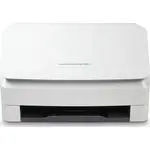
Scanner HP Scanjet Enterprise Flow 5000 s5 - Mode d'emploi, à lire gratuitement en ligne au format PDF. Nous espérons que cela vous aidera à résoudre toutes les questions que vous pourriez avoir. Si vous avez encore des questions, contactez-nous via le formulaire de contact.
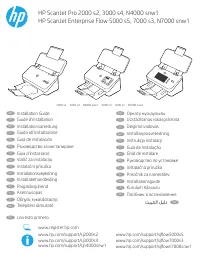
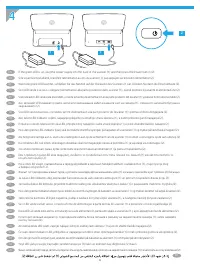
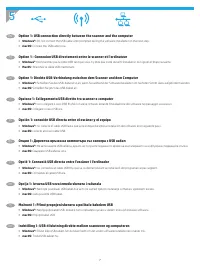
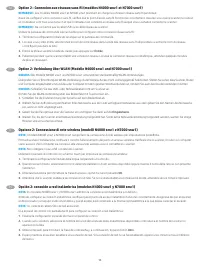
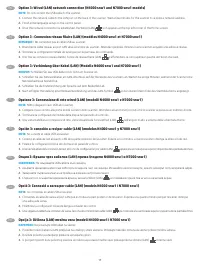
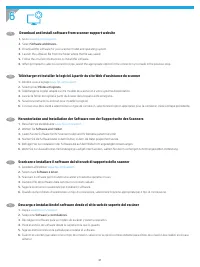
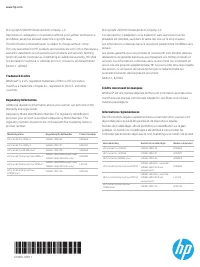
Table des matières:
- Page 6 – Connect the USB cable now.; Windows®; Branchez le câble USB maintenant.
- Page 9 – Pilotes et logiciels; Download and install software from scanner support website; Software and Drivers
- Page 11 – prohibited, except as allowed under the copyright laws.; Trademark Credits
HP ScanJet Pro 2000 s2, 3000 s4, N4000 snw1
HP ScanJet Enterprise Flow 5000 s5, 7000 s3, N7000 snw1
2000 s2 3000 s4 N4000 snw1 5000 s5 7000 s3 N7000 snw1
www.register.hp.com
www.hp.com/support/sj2000s2
www.hp.com/support/sj3000s4
www.hp.com/support/sjn4000snw1
www.hp.com/support/sjflow5000s5
www.hp.com/support/sjflow7000s3
www.hp.com/support/sjflown7000snw1
Installation Guide
EN
Guide d’installation
FR
Installationsanleitung
DE
Guida all’installazione
IT
Guía de instalación
ES
Ръководство за инсталиране
BG
Guia d’instal·lació
CA
Vodič za instalaciju
HR
Instalační příručka
CS
Installationsvejledning
DA
Installatiehandleiding
NL
Paigaldusjuhend
ET
Asennusopas
FI
Οδηγός εγκατάστασης
EL
Telepítési útmutató
HU
Орнату нұсқаулығы
KK
Uzstādīšanas rokasgrāmata
LV
Diegimo vadovas
LT
Installasjonsveiledning
NO
Instrukcja instalacji
PL
Guia de instalação
PT
Ghid de instalare
RO
Руководство по установке
RU
Inštalačná príručka
SK
Priročnik za namestitev
SL
Installationsguide
SV
Kurulum Kılavuzu
TR
Посібник зі встановлення
UK
AR
Lea esto primero
ES
« Chargement du manuel » signifie que vous devez attendre que le fichier soit complètement chargé avant de pouvoir le lire en ligne. Certains manuels sont très volumineux, et le temps de chargement dépend de la vitesse de votre connexion Internet.
Ce manuel vous a-t-il été utile ?
À propos de ce manuel
- Marque
- HP
- Modèle
- Scanjet Enterprise Flow 5000 s5
- Type de document
- Mode d'emploi
- Catégorie
- Scanner
- Langue(s)
- Allemand, Anglais, Espagnol, Français, Italien, Dutch, Polonais, Russe, Swedish
- Pages
- 11
- Taille du fichier
- 3,8 MB
- Format
Résumé
5 EN Option 1: USB connection directly between the scanner and the computer • Windows®: Do not connect the USB cable until prompted during the software installation in the next step. • macOS: Connect the USB cable now. FR Option 1 : Connexion USB directement entre le scanner et l’ordinateur • Window...
6 Télécharger et installer le logiciel à partir du site Web d’assistance du scanner 1. Rendez-vous à la page www.hp.com/support . 2. Sélectionnez Pilotes et logiciels . 3. Téléchargez le logiciel adapté à votre modèle de scanner et à votre système d’exploitation. 4. Lancez le fichier du logiciel à p...
6FW06-90011 Marketing name Regulatory Model Number Product number HP ScanJet Pro 2000 s2 SHNGD-1902-02 6FW06A HP ScanJet Pro 3000 s4 SHNGD-1902-01 6FW07A HP ScanJet Pro N4000 snw1 SHNGD-1902-00 6FW08A HP ScanJet Enterprise Flow 5000 s5 SHNGD-1604 (WW except India)SHNGD-1604-00 (India only) 6FW09A HP...